
CloudTail for WHMCS
A client area and order form that feel like one product — dashboard, tickets, domains, auth, and checkout on the CloudTail design system.
WHMCS 9
Tested on 9.0.6
Theme + Cart
Matched system
Freemius
License unlock
Docs
Install guide
Try it yourself
Open the running CloudTail WHMCS demo, then sign in with the credentials below.
Demo URL
cloudtail.whmcscraft.comUsername / email
test@whmcscraft.com
Password
test
Shared demo account — explore freely; please don’t change billing or account settings.
Browse screenshots →A real screenshot gallery
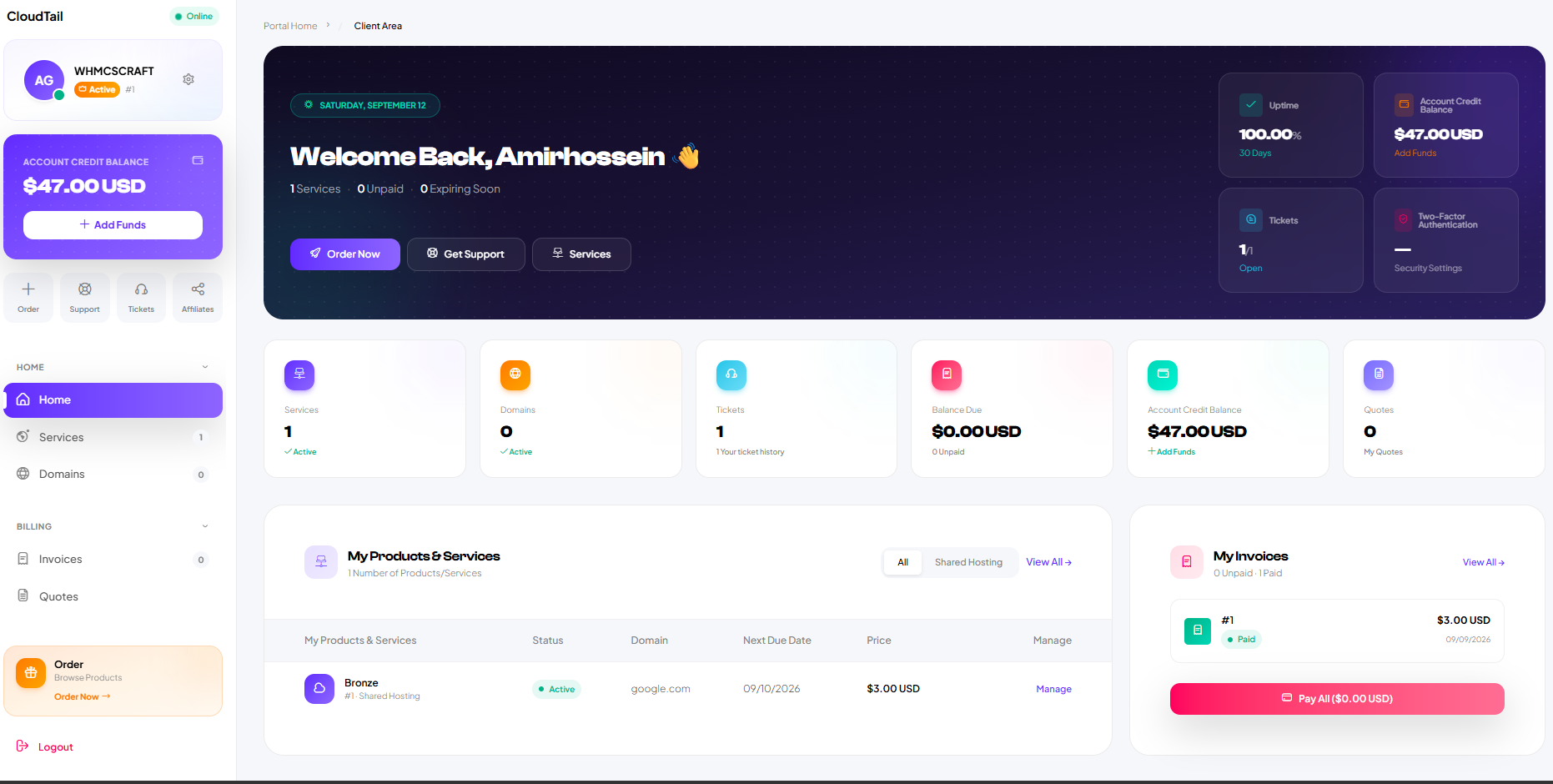
Dashboard, tickets, domains, auth, and CloudTail Cart — captured from a running CloudTail install. Click to enlarge.
Everything you need to look premium
Purpose-built for WHMCS client experience — not a generic Bootstrap reskin.
Dashboard & KPIs
Welcome hero, status tiles, recent services and invoices via theme hooks.
- Welcome + status tiles
- Recent services & invoices
Tickets & support
Conversation UI, ticket info panels, and reply flows that stay readable.
- Conversation thread layout
- Ticket info side panels
Services & domains
Status filters, manage cards, and empty states that invite the next order.
- Status filters & manage cards
- Empty states that convert
Auth that converts
Login and register with branded side panels — first impression that matches the portal.
- Bare branded layouts
- Login / register switcher
CloudTail Cart
Order form styled to the client area, with WHMCS JS contracts preserved.
- Matched plan cards
- WHMCS cart JS intact
License unlock
Activate a Freemius key in the CloudTail License addon — gated until valid.
- Freemius key activate
- Hard gate until licensed
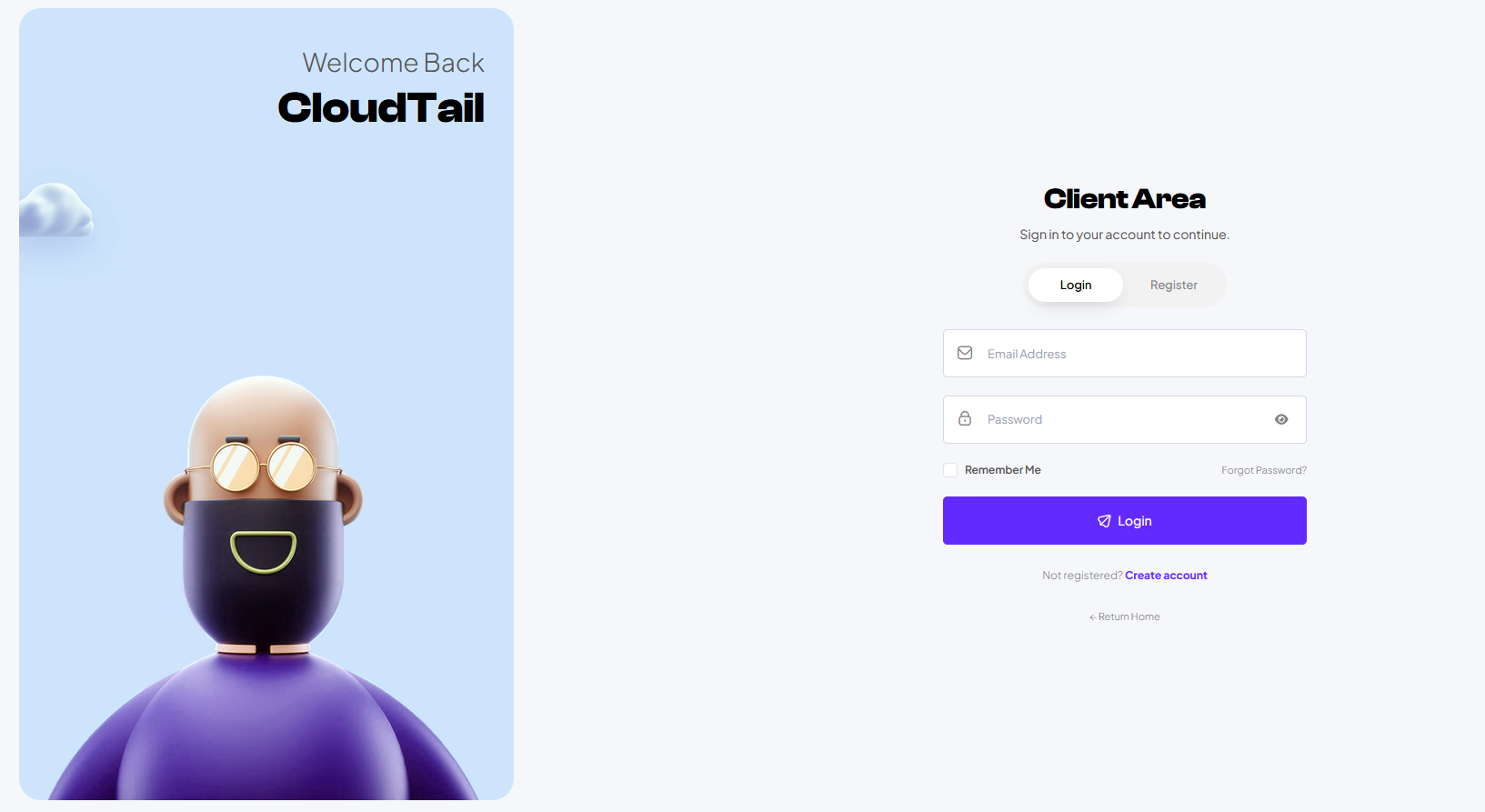
Bare layouts that still feel branded
Login and register use full-bleed panels with CloudTail character art — so the journey into the portal never looks generic.
- Login / register toggle
- Focused purple field states
- Mobile-ready stacking
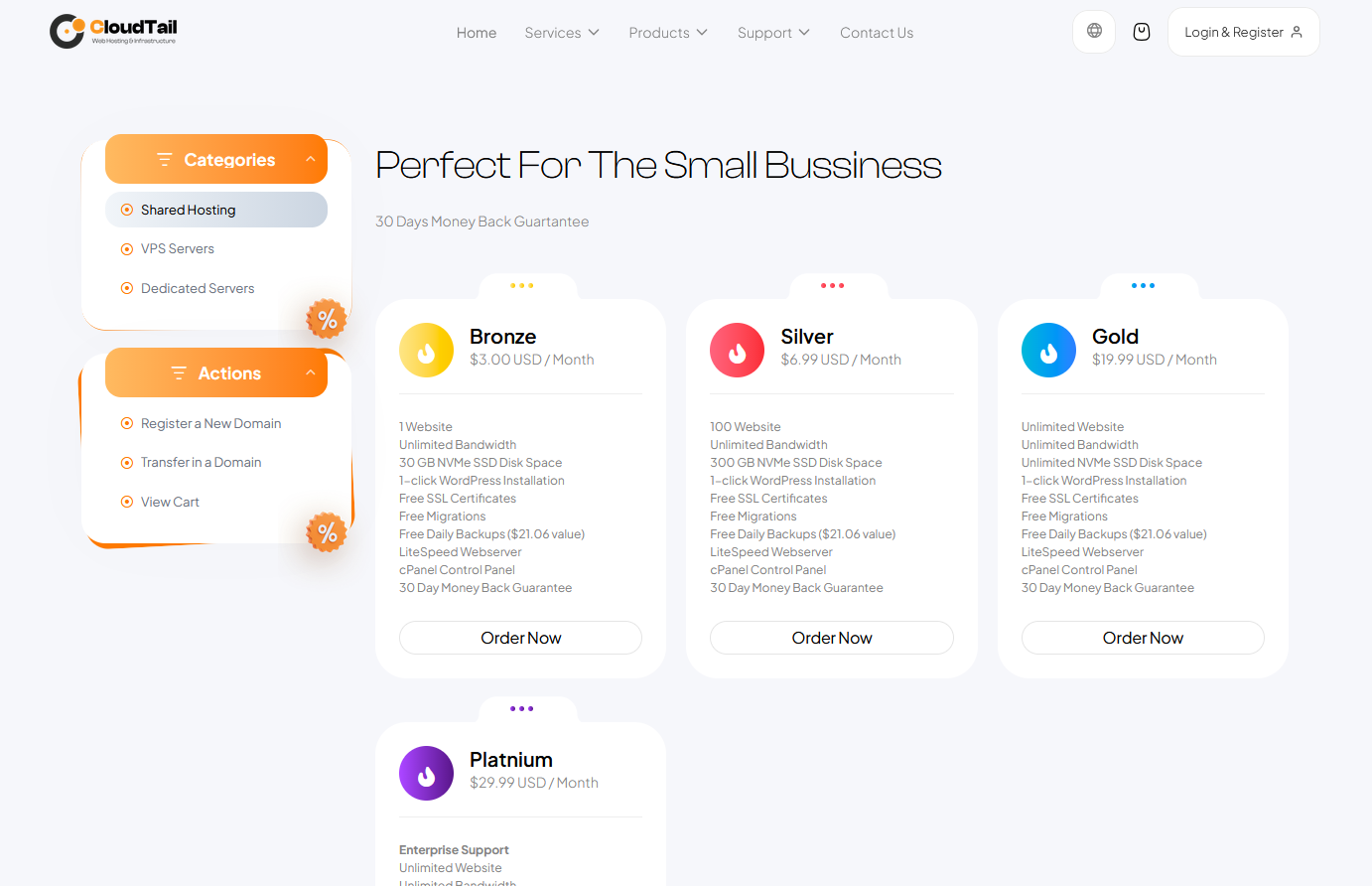
Order form that matches the portal
Plan cards, categories, and checkout chrome stay on-brand — while WHMCS cart JavaScript APIs stay intact.
See license pricingSimple licenses. Secure pay.
Single site or 5-site agency. Pick a billing cycle, checkout with Freemius, then activate the key inside WHMCS.

-
Client area theme
-
CloudTail Cart
-
License addon + docs
-
Updates for the billing period
-
Multi-site agency use
Also available: pricing.html · checkout.freemius.com/product/21980
Install in minutes
Download from Freemius, activate the license key, then turn on CloudTail.
Upload packages
Theme, cart, and cloudtail_license.
Activate license
Addon Modules → CloudTail License → paste Freemius key.
Hook stub
Copy install stub to includes/hooks/.
Select theme
System Theme → CloudTail · Order Form → CloudTail Cart.
Ship a client area worth logging into
CloudTail for WHMCS — theme, cart, docs, and Freemius license unlock.
Buy on Freemius